
-
Log In: Access your NHA cert portal account using your established credentials.
-
Open Courses: Navigate to MyCourses and select the course you will be using.
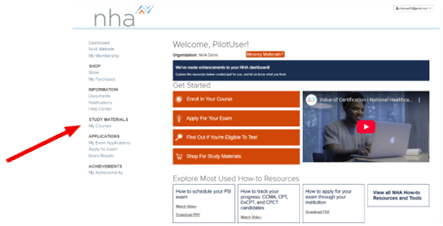
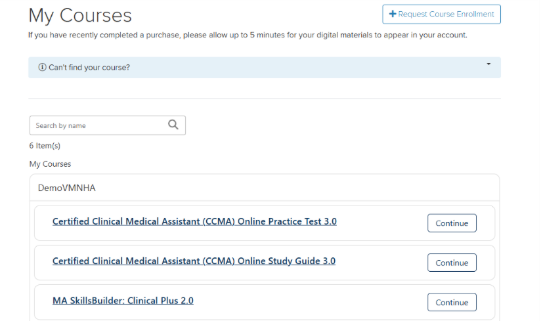
-
Navigate to Claire AI: Once logged in to the product, you will find Claire AI located within the module content. You will need to acknowledge and consent to the AI Terms & Conditions to access Claire AI. From here, learners can start using Claire AI. Click on the Claire AI icon, enter a prompt, and wait for a response.
- If you have learners who are under 18, they can still use Claire AI if they have parent or guardian consent. They do not need to provide that consent to the institution, instructor or to NHA directly—by using Claire AI, the learner is confirming they have obtained it. If your school has an existing process for collecting parental permissions, simply follow that process. There is no additional action required from you unless your institution requires it.

If you have any questions about using Claire AI within your medical assisting classroom, please contact your NHA Account Manager.
More Claire AI resources: