
- Regular Interaction: Engage with Claire AI regularly to maximize the benefits of personalized learning and real-time assistance.
- Starter Prompts: Utilize the starter prompts provided in Claire AI to help get you started:
- Summarize
- Generate a set of flashcards
- Explain
- Generate a question
- Ask your Own Question: Claire AI lets you type any question directly into the AI’s chat box. Instead of selecting a suggested prompt, you can ask something specific that you want to know—as long as it relates to the content or topic you’re currently viewing.
Here are some tips for creating a good prompt:- Be clear and specific
- Explain what you want the output to be
- Specify the format, lengths and style
- Ask to respond as a specific role or expert
- Call out what must and must not be included
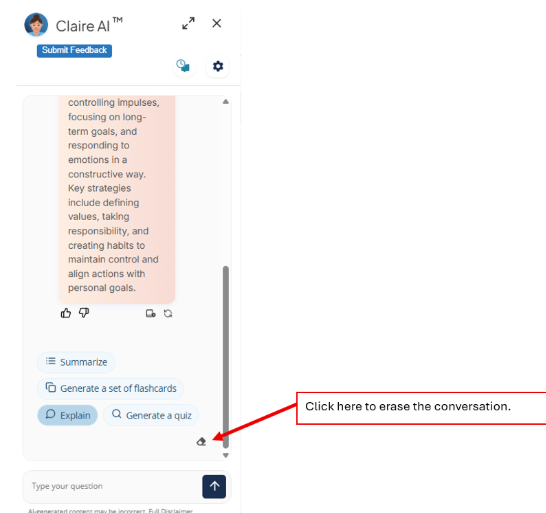
- Erase the Conversation: When moving between pages or modules, clear your history / prompt to ensure you receive the most relevant response – you can always revisit your previous conversations by selecting chat history, which is further discussed below.
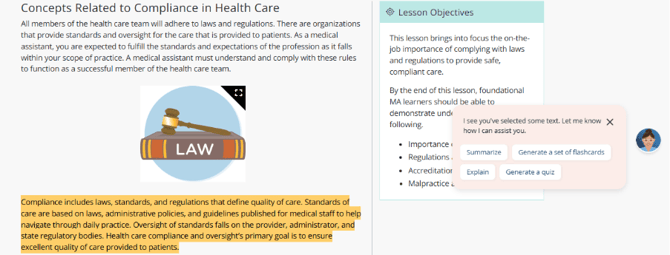
- Highlight Text: Claire AI will automatically appear when text is highlighted within the module content.
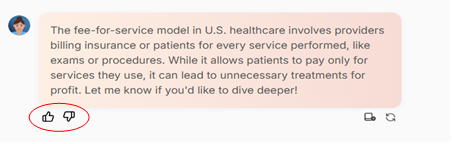
- Rate Your Responses – Give feedback on each Claire AI response by rating the response using the Thumbs up or Thumbs down icons. Thumbs up for helpful, accurate and clear responses. Thumbs down for when the response is incorrect, confusing or not what you expected.
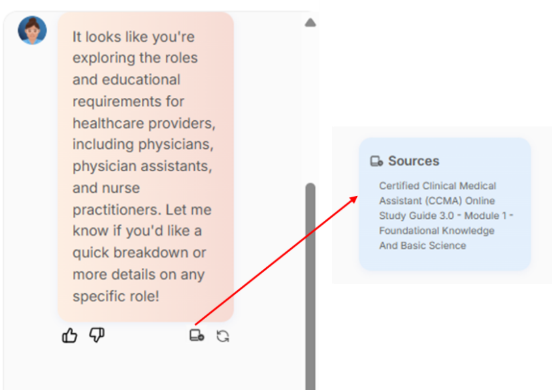
- Check the Source: In every response, Claire AI will include links citing the source where information is being pulled from within the NHA resource, so you know where the information was found.
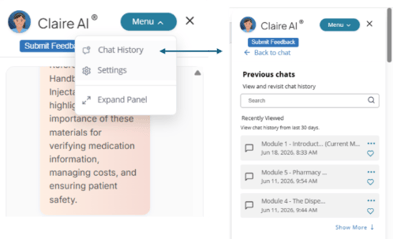
- View Chat History: Access previous conversations with Claire AI to review questions, responses, and context from earlier conversations.
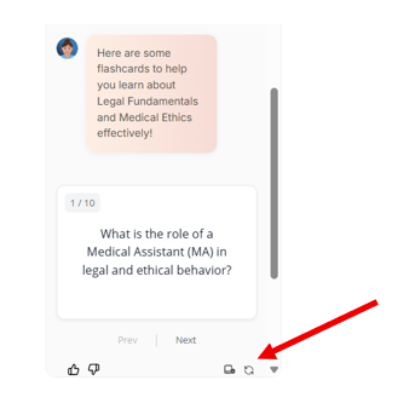
- Regenerate Content: Generates a new response using the same input, offering a different variation or perspective.
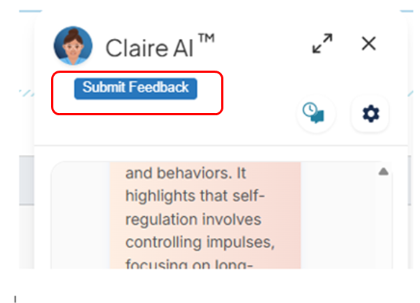
Share Your Feedback
Use the feedback option within Claire AI to report issues, suggest improvements, and share your experiences.
If you have any questions about using Claire AI within your medical assisting classroom, please contact your NHA Account Manager.
More Claire AI resources: